Your team answers every renter faster, from one place. Calls, texts and emails sit in one thread, the most urgent leads come first, RentEngine AI replies day and night and every lead gets follow-ups until they book or apply.
Calls, texts and emails in one thread
Your team knows who to answer next
Until they book or apply
// Command Center
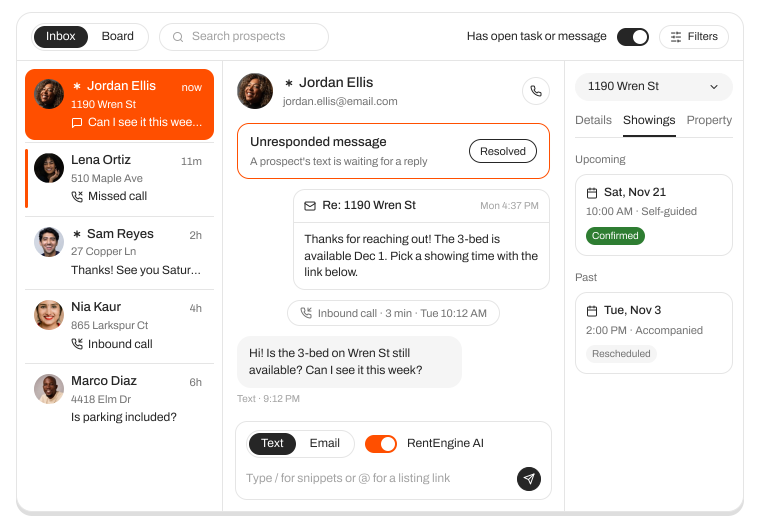
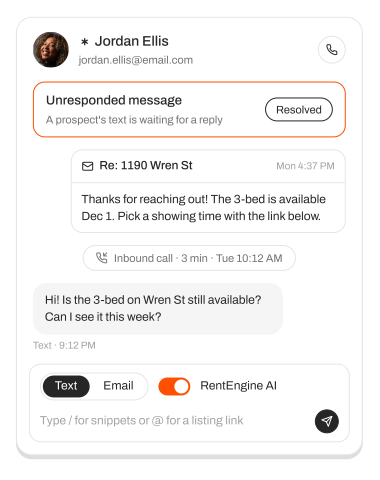
The Command Center is RentEngine’s leasing CRM. Every call, text, email, note and showing for a prospect sits in one thread, so nobody on your team asks a renter to repeat themselves.
When a colleague is out, anyone on the team picks up the conversation with the full history in front of them.
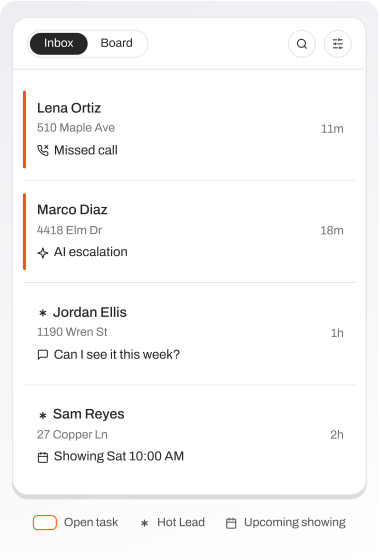
Start the day in the Inbox and answer every renter who is waiting on you.
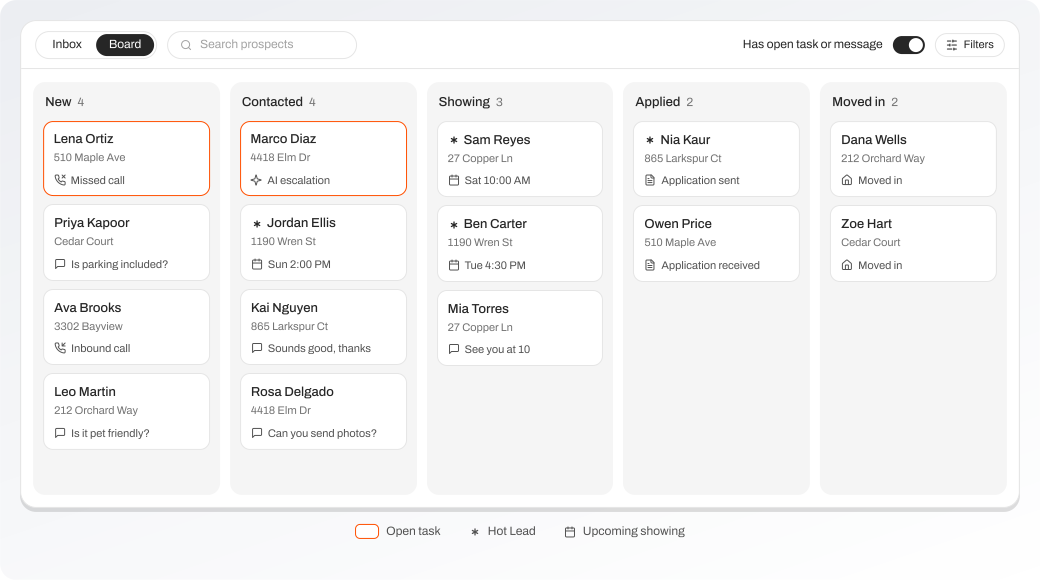
Then move to the Board and follow up with leads before they choose another home.
Inbox
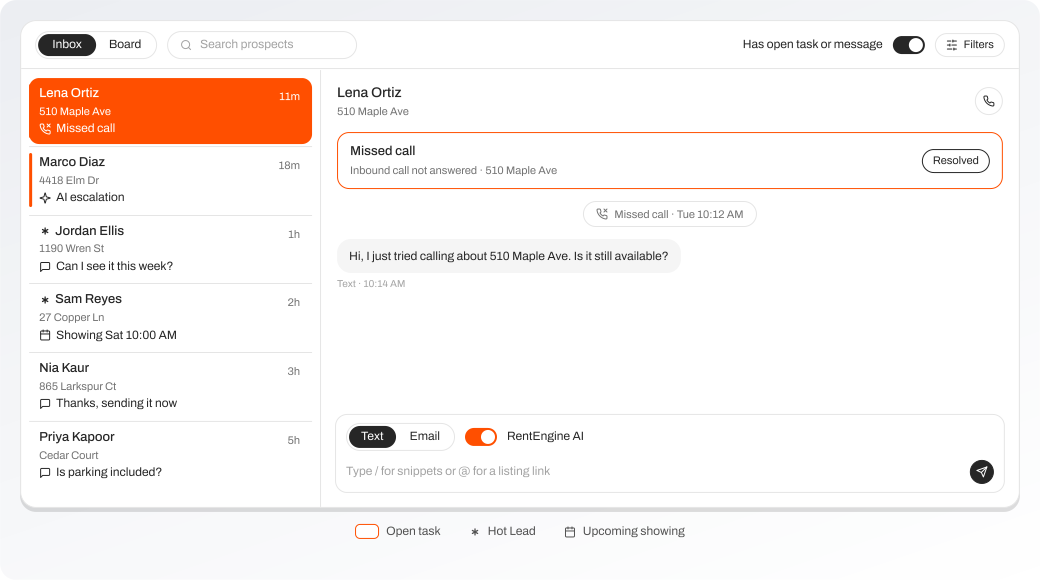
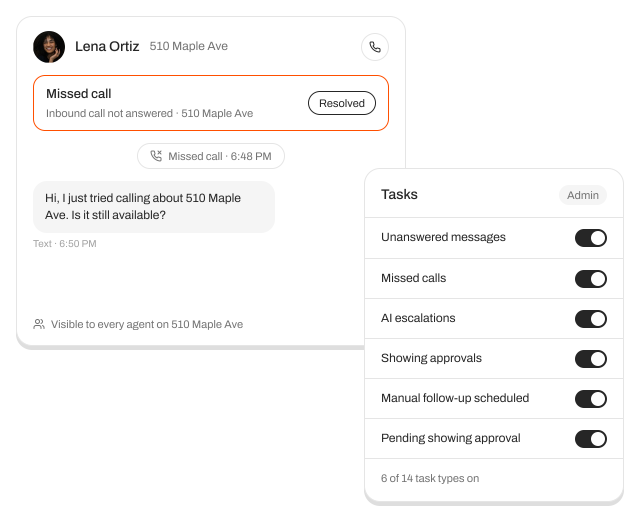
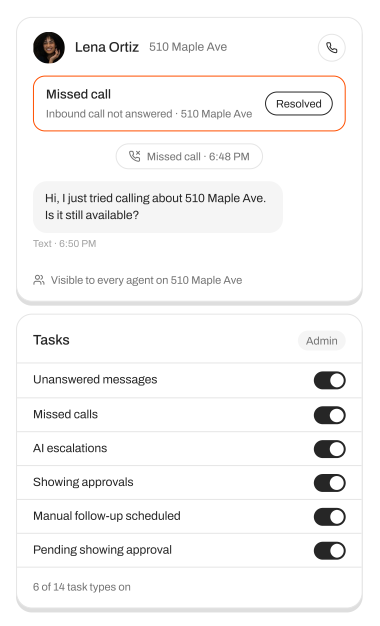
Your team sees missed calls, unanswered messages and AI handoffs with an open task for each. Agents know who to answer next without searching for anyone.
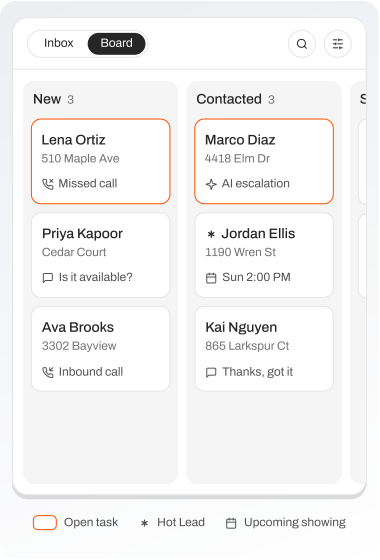
Board
Your team sees every prospect by leasing stage, from New to Moved in. They spot where leads stall. RentEngine updates each card as the prospect books or applies.
The Board layout is really helpful for organizing and stack-ranking prospects to engage with. The added filters are really useful to drill down and focus in on a specific data set for the new hires.

// Channels
Your team answers each text, call and email on the channel they chose and keeps every message in the same thread.
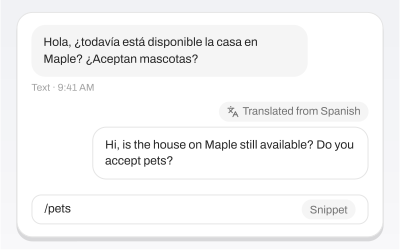
Text
Text renters from your dedicated local leasing number. Your team answers common questions with saved snippets and translates messages from 12 languages into English with one click.
Calls
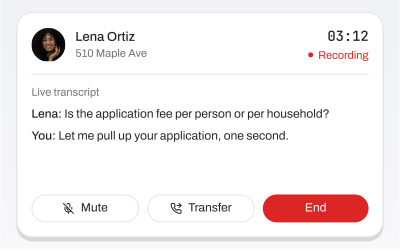
Your team takes calls on desktop or in the app and stays on the line while they look up a unit or an application. Transfer a call to the right person and record calls to coach your team.
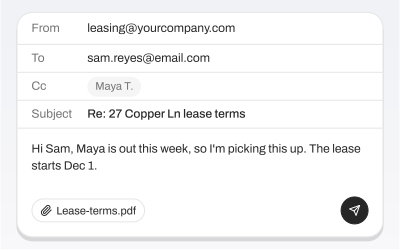
Your team replies to email in the same thread as texts and calls, from one shared leasing address. When a colleague is on vacation, anyone on the team can answer.
Your admins decide which moments need a person, such as a missed call, an AI handoff or a showing waiting for approval. RentEngine turns each one into a task.
Your agents see what happened and which property it’s about, then act. Once someone handles it, the task clears for the whole team, so two people never call the same lead.
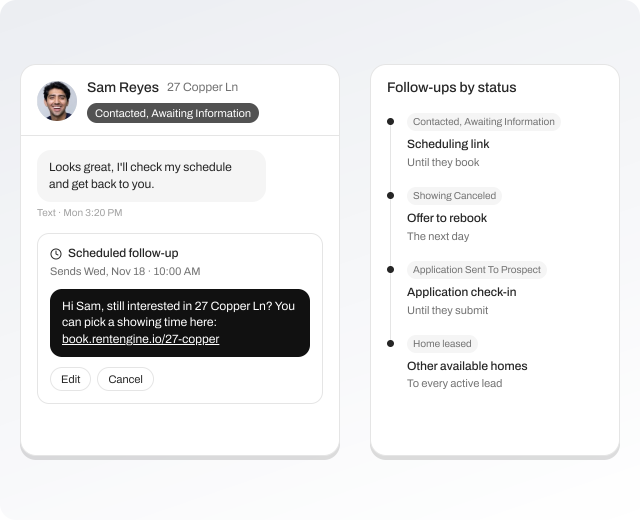
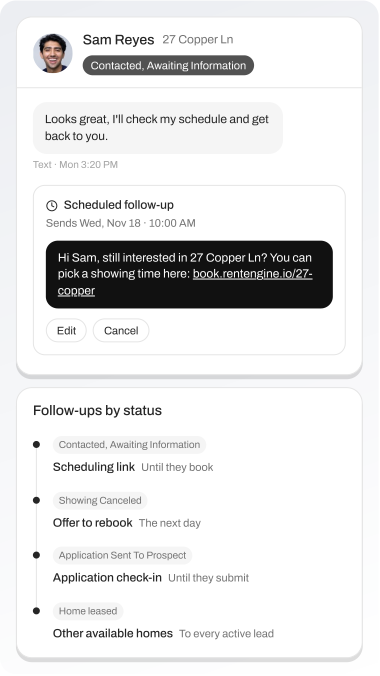
Most leads need more than one message before they book. RentEngine follows up by text for you, based on where each prospect is in the leasing process.
A lead who hasn’t booked gets your scheduling link. A prospect who missed a showing gets an offer to rebook. An applicant who stopped partway gets a check-in until they submit.
Every renter who inquired, toured or started an application is still in your Command Center. With Broadcast, your team sends them new units, matching floor plans and special offers by text and email, before you pay for new leads.
Your team reaches a whole list with one message and answers each reply in that prospect’s own thread.
Message a whole group of leads at once
Tell every active lead on a unit about a new special offer
Personalize each message with the lead’s own listing link
Answer every reply from the prospect’s own thread
showings booked within an hour after RPM Iowa’s team texted leads from the past two weeks.
// RentEngine AI
Most renters reach out after hours. RentEngine AI answers their calls and texts in seconds, 24/7, in English and Spanish, so your team starts each day with booked showings instead of a backlog.
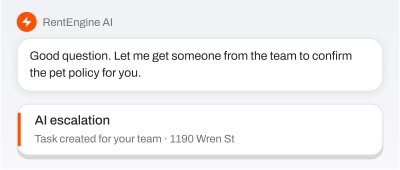
Explore RentEngine AIWhen RentEngine AI can’t answer a question, it creates a task for your team. A caller who asks for a person reaches your team by live transfer.
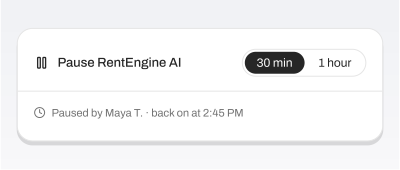
Pause RentEngine AI for 30 minutes or an hour while you talk to a lead. It switches back on afterwards, so no lead waits for a reply.
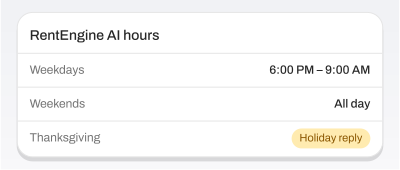
Decide when RentEngine AI works, what it says and how it replies over holidays.

AI is working great and has decreased the number of calls that [our leasing manager] gets so that he can focus on the most important ones.


I truly do appreciate having the AI-generated suggestions available as a starting point when responding to prospects.

// Mobile app
Your agents spend much of the day in the field. With the RentEngine app for iPhone and Android, they text, call and email leads from anywhere and the office sees every message in the same thread.
The RentEngine app is my 2nd favorite app.
Teams on RentEngine answer every lead from one place, with fewer tools and fewer missed follow-ups.
Read all playbookshandles leasing for most of 1,600 properties

“There’s a difference in excitement on the leasing agent side. They’re in the app more. They’re more engaged than they were with any prior system.”

What is the Command Center?
The Command Center is RentEngine’s leasing CRM. Your team texts, calls and emails prospects there, logs notes and showings and tracks every lead from first inquiry to move-in. It works on desktop and in the RentEngine app.
Which channels does it cover?
Texts, calls and emails, all in one thread per prospect. RentEngine AI conversations, automatic follow-ups, notes and showings sit in the same thread, so your team sees the full history in one place.
Do we get our own phone number?
Yes. Every account gets a dedicated local leasing number for calls and texts. RentEngine adds it to your syndicated listings and you can add it to your office phone tree. Your team can also forward incoming calls to their own phones.
Can prospects email us?
Yes. Prospects who email you appear in the Command Center, including leads from listing sites that only share an email address. Your team replies from a shared leasing address, with CC, BCC and attachments.
How do automatic follow-ups work?
RentEngine sends text follow-ups based on each prospect’s status, such as a reminder to book, an offer to rebook a missed showing, or a check-in on an unfinished application. You can edit the messages and timing, or cancel any follow-up. Sequences stop when a lead replies, books or applies, or after a full sequence with no reply.
How do we know who is working which lead?
Assign leads to agents and subteams and each agent starts with their own leads in view. Tasks show every agent on a property what needs a person. The Agent Performance report shows each agent’s response time during business hours and their task escalations.
Can my team turn RentEngine AI off for a lead?
Yes. Your team can switch RentEngine AI off for any lead, or pause it for 30 minutes or an hour while they take over. RentEngine records who paused it and for how long.
Does it connect to our other tools?
Yes. The Tasks API and webhook send missed calls, AI escalations and showings awaiting approval to your own CRM or dashboard, with the right agent assigned. The RentEngine open API covers prospects, calls and messages too.
Why is RentEngine’s CRM better than a separate phone system and CRM?
A separate phone system keeps call history apart from your listings, showings and applications. In RentEngine, every call, text and email sits next to the prospect’s showings and application. RentEngine AI and your follow-ups run in the same threads. Your team works from one tool instead of three.
Bring calls, texts, emails and follow-ups into one place and lease homes faster without adding another tool.
Request a Demo