Showings

Turn more leads into completed tours.

Prospects book accompanied, self-guided, remote guided and virtual tours 24/7. Your team runs every showing from the Showings Calendar or the RentEngine app. It works with the lockboxes you already own and keeps your PMS in sync.

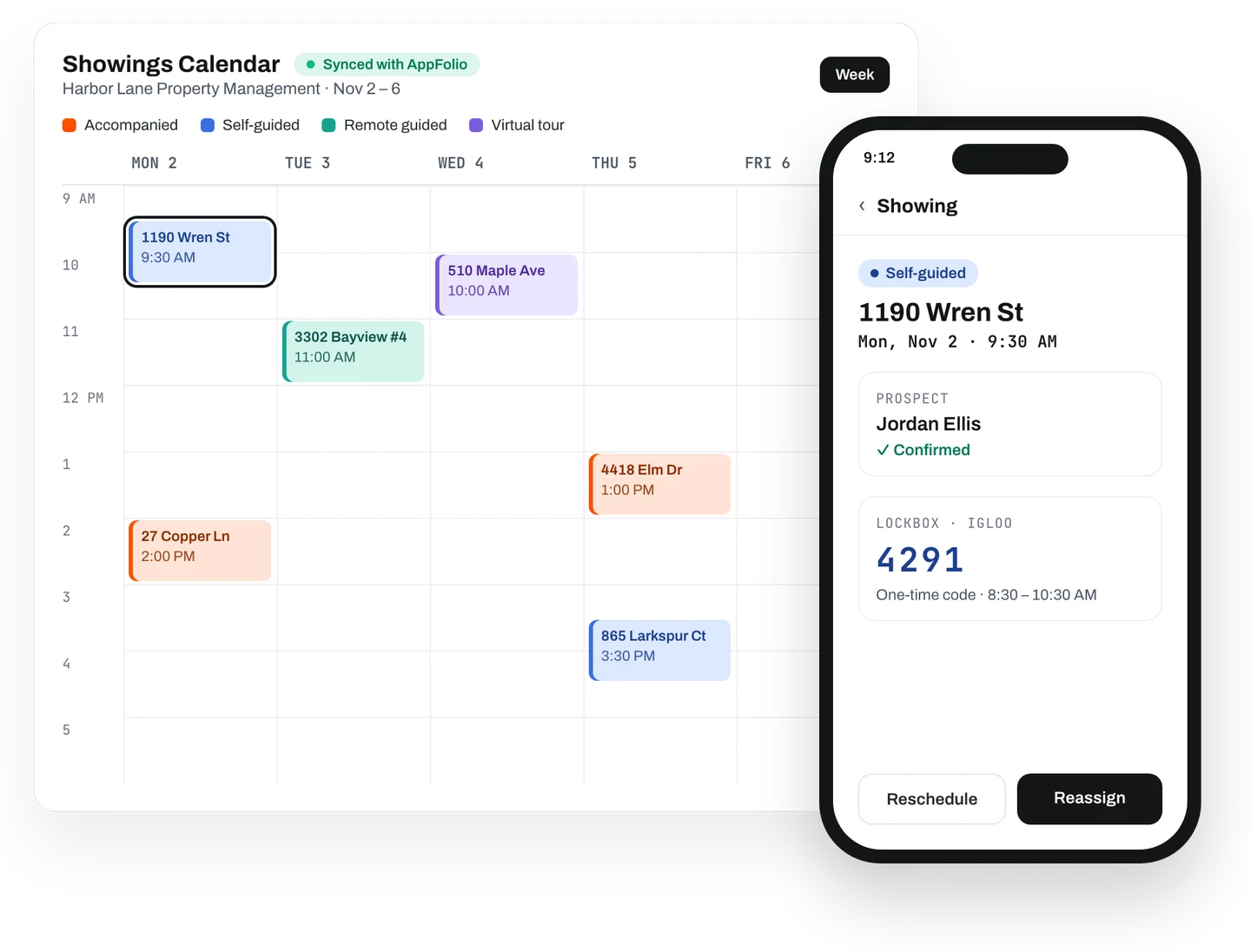
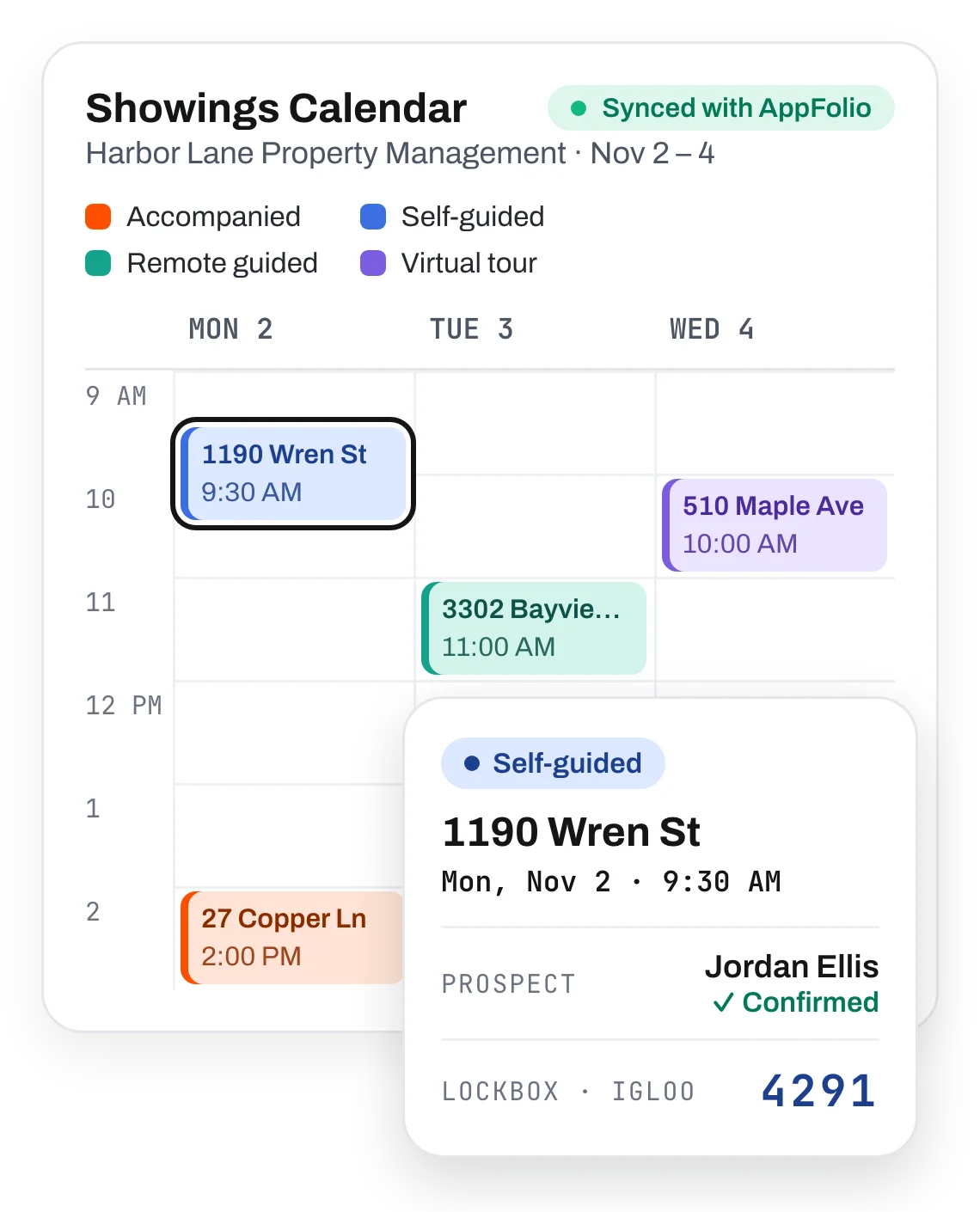
Showings Calendar week view with one showing of each type, next to the RentEngine app open on a self-guided showing with its Igloo lockbox codeShowings Calendar with one showing of each type across three days, and the selected self-guided showing with its prospect and Igloo lockbox code
“

Leads to showings scheduled to showing complete is triple what we had. The texting is genius

“

Since making the switch, we’ve seen a noticeable increase in completed showings, which also appears to be translating into more applications, so that has been a great win for our team.

“

Huge increase in leads, showings and application after we switched.


One calendar for every tour type

See every showing in one view.

Your team schedules, reschedules, reassigns, approves and cancels showings from one calendar and filters it by property, agent or showing method.

Showings CalendarNov 2 – 6
Property: All ▾ Agent: All ▾Agent: Maya T. ▾ Method: All ▾
MON 2TUE 3WED 4THU 5FRI 6
9 AM101112 PM123
1190 Wren St9:30 AM
27 Copper Ln1:00 PM
3302 Bayview11:00 AM
4418 Elm Dr10:00 AM
510 Maple2:00 PM
865 Larkspur10:30 AM
212 Orchard12:00 PM
212 Orchard12:00 PM✓
Needs PM approval✓ Approved
212 Orchard Way
Fri, Nov 6 · 12:00 PM
Maya Torres
ApproveReassignRescheduleCancel

Prospects book wherever they find you.

Prospects book from your listings, your website, a text from your team, or Zillow Instant Tour. Your team sets prescreening, PM approval and tenant notice rules for each property.

Your listing
Your website
Text from your team
Zillow Instant Tour
New bookingsToday
Jordan Ellis
1190 Wren St · Sat 10:00 AM
Listing
Lena Ortiz
510 Maple Ave · Thu 2:00 PM
Website
Nia Kaur
865 Larkspur Ct · Fri 5:00 PM
Text
Sam Reyes
4418 Elm Dr · Sat 11:00 AM
Zillow
Rules · 510 Maple Ave ✓Prescreening✓PM approval✓Tenant notice · 24 hrs

Change plans without starting over.

Set the showing method for each property and change it for a single showing when plans change. Block times for holidays and maintenance and book manually whenever your team needs to.

Showings Calendar Block time+ Book manually
MON 23TUE 24WED 25THU 26FRI 27
9 AM101112 PM123
27 Copper Ln10:00 AM
BlockedMaintenance
3302 Bayview1:00 PM
72 Cedar Ct10:30 AM
BlockedThanksgiving
1190 Wren St10:00 AM
This showing only
1190 Wren St
Fri, Nov 27 · 10:00 AM
Self-guideddefault
Accompanied
Only this showing changes.
Book a showing
72 Cedar Ct
WhenWed 25 · 10:30 AM
MethodAccompanied
AgentMaya T.
Book showing
Showings CalendarNov 2 – 6
Property: All ▾ Agent: All ▾Agent: Maya T. ▾ Method: All ▾
MON 2TUE 3WED 4THU 5FRI 6
9 AM101112 PM123
1190 Wren St9:30 AM
27 Copper Ln1:00 PM
3302 Bayview11:00 AM
4418 Elm Dr10:00 AM
510 Maple2:00 PM
865 Larkspur10:30 AM
212 Orchard12:00 PM
212 Orchard12:00 PM✓
Needs PM approval✓ Approved
212 Orchard Way
Fri, Nov 6 · 12:00 PM
Maya Torres
ApproveReassignRescheduleCancel
Your listing
Your website
Text from your team
Zillow Instant Tour
New bookingsToday
Jordan Ellis
1190 Wren St · Sat 10:00 AM
Listing
Lena Ortiz
510 Maple Ave · Thu 2:00 PM
Website
Nia Kaur
865 Larkspur Ct · Fri 5:00 PM
Text
Sam Reyes
4418 Elm Dr · Sat 11:00 AM
Zillow
Rules · 510 Maple Ave ✓Prescreening✓PM approval✓Tenant notice · 24 hrs
Showings Calendar Block time+ Book manually
MON 23TUE 24WED 25THU 26FRI 27
9 AM101112 PM123
27 Copper Ln10:00 AM
BlockedMaintenance
3302 Bayview1:00 PM
72 Cedar Ct10:30 AM
BlockedThanksgiving
1190 Wren St10:00 AM
This showing only
1190 Wren St
Fri, Nov 27 · 10:00 AM
Self-guideddefault
Accompanied
Only this showing changes.
Book a showing
72 Cedar Ct
WhenWed 25 · 10:30 AM
MethodAccompanied
AgentMaya T.
Book showing

Showing methods

Self-guided
Remote guided
Virtual tour
Accompanied or self-guided

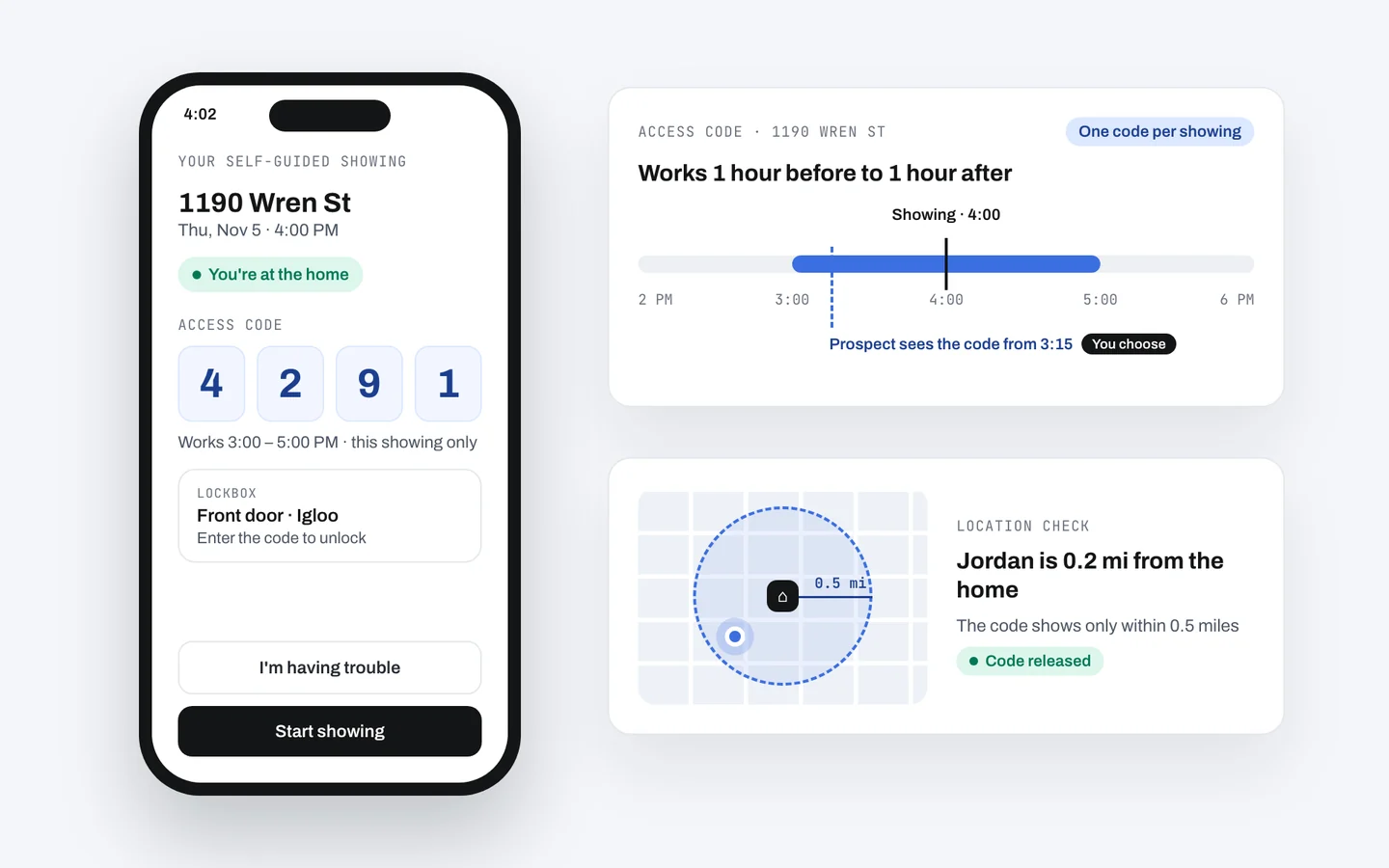
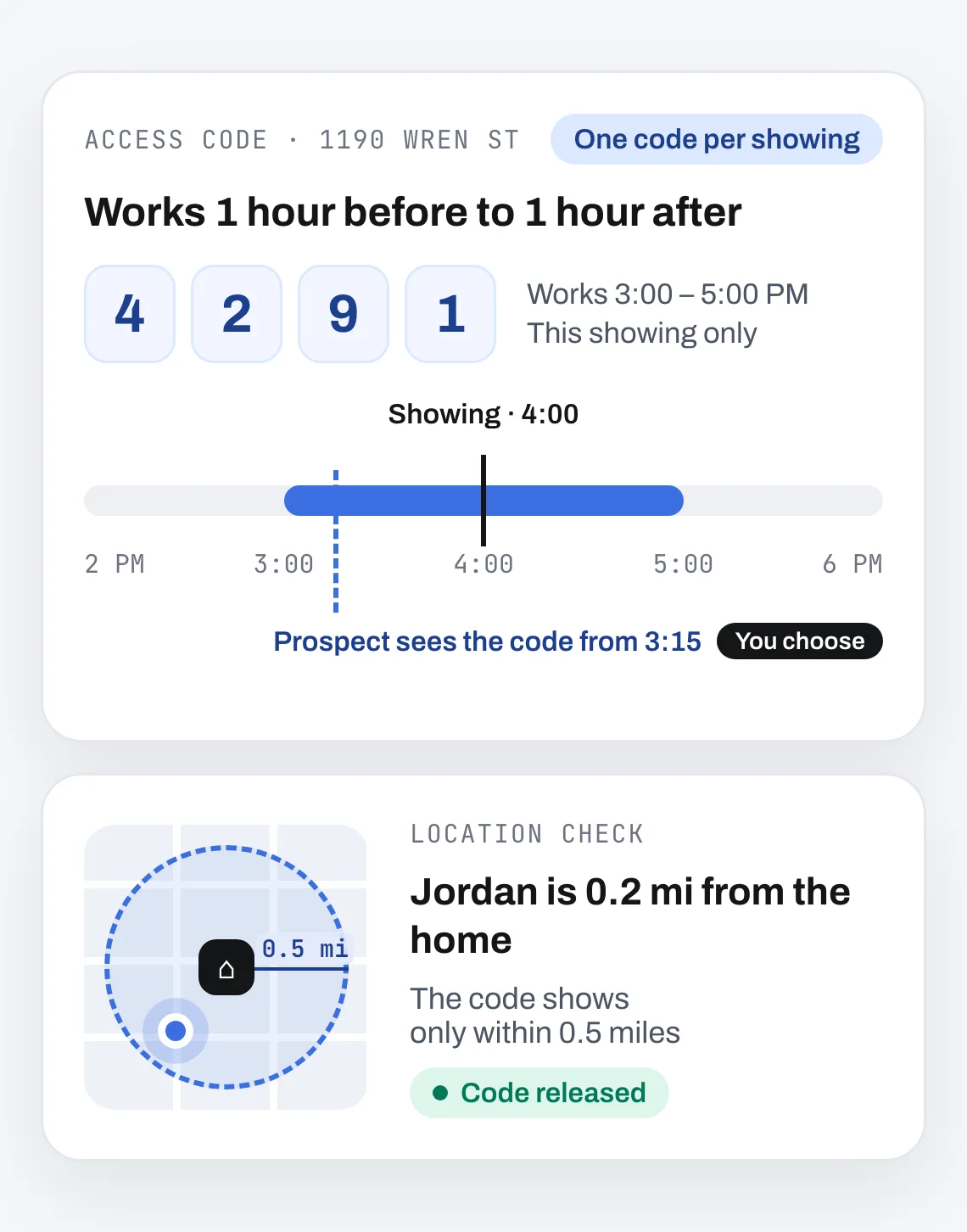
Prospects receive a unique code for each showing, valid from 1 hour before to 1 hour after. You choose how early they see it and they must be within 0.5 miles of the property.

2x

Self-guided tours turn 2x more leads into completed showings, for about 25% more submitted applications.

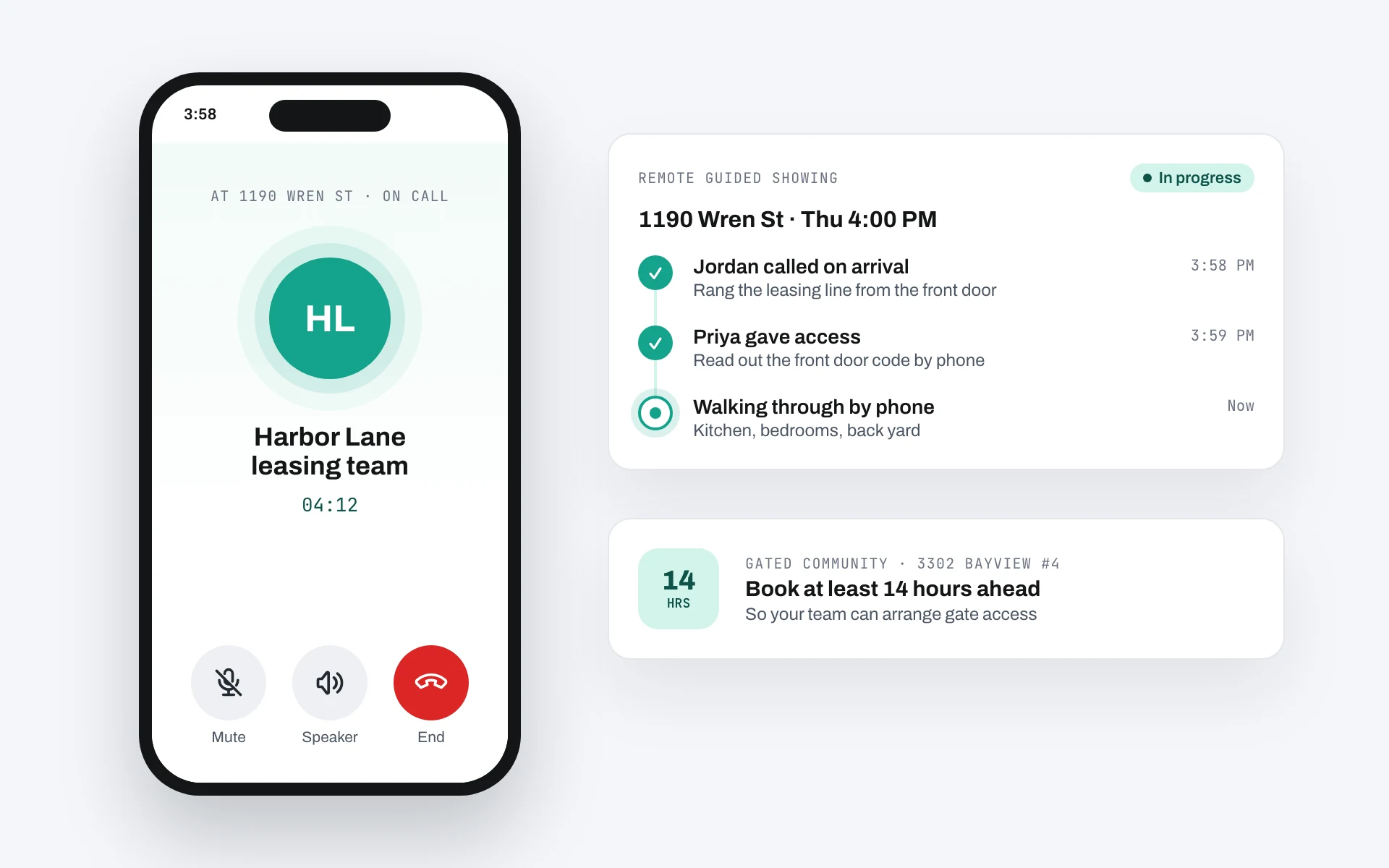
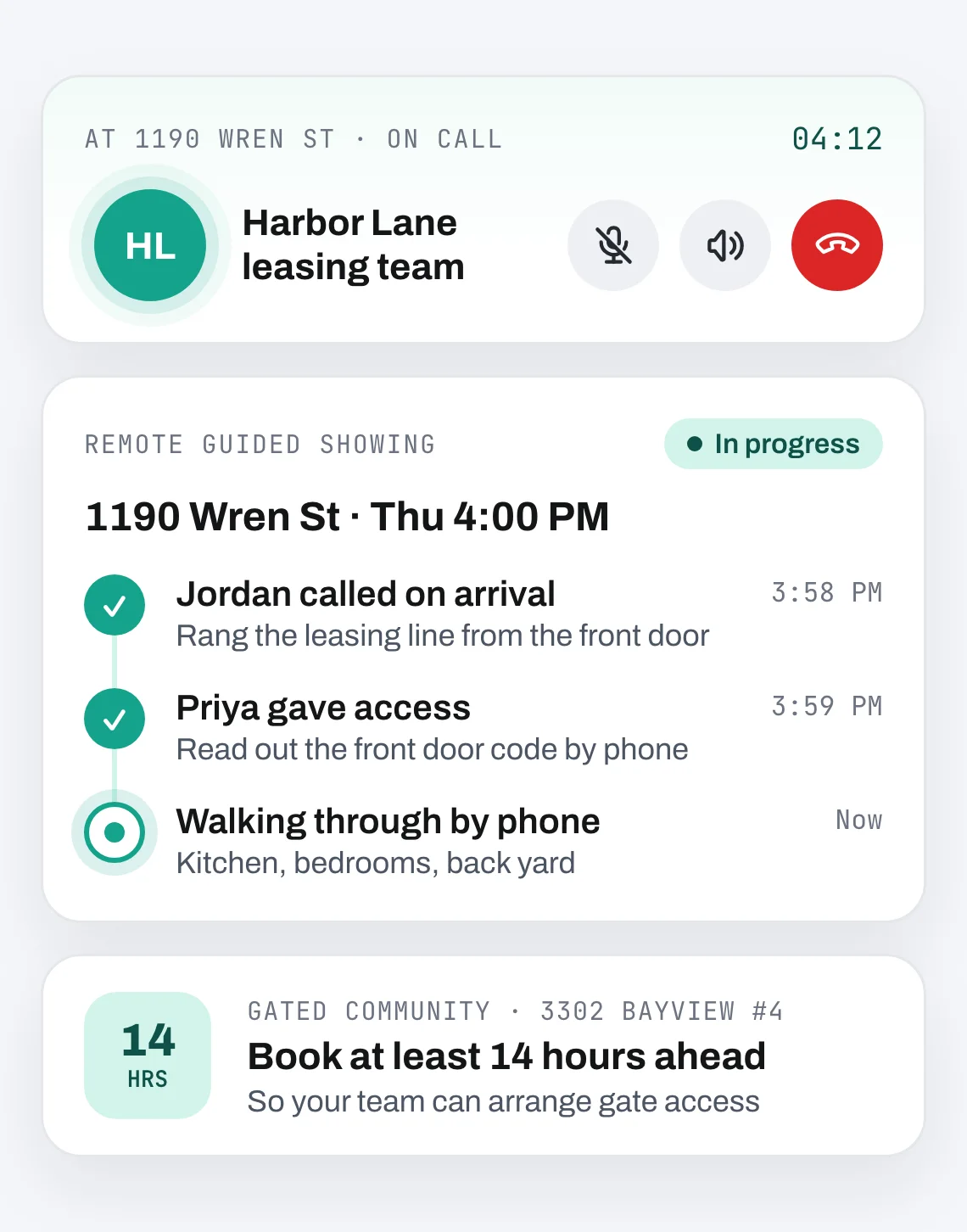
The prospect calls your team on arrival and a team member gives access and walks them through the property by phone.

Prospects book any open 30-minute slot and no agent drives to the property. RentEngine texts them to call your team when they arrive and never sends a lockbox or gate code.

✓
Your team gives access to every property itself
✓
Gated communities can require 14 hours’ notice, so your team can arrange gate access
✓
Prospects receive the same reminders and reschedule links as every other showing

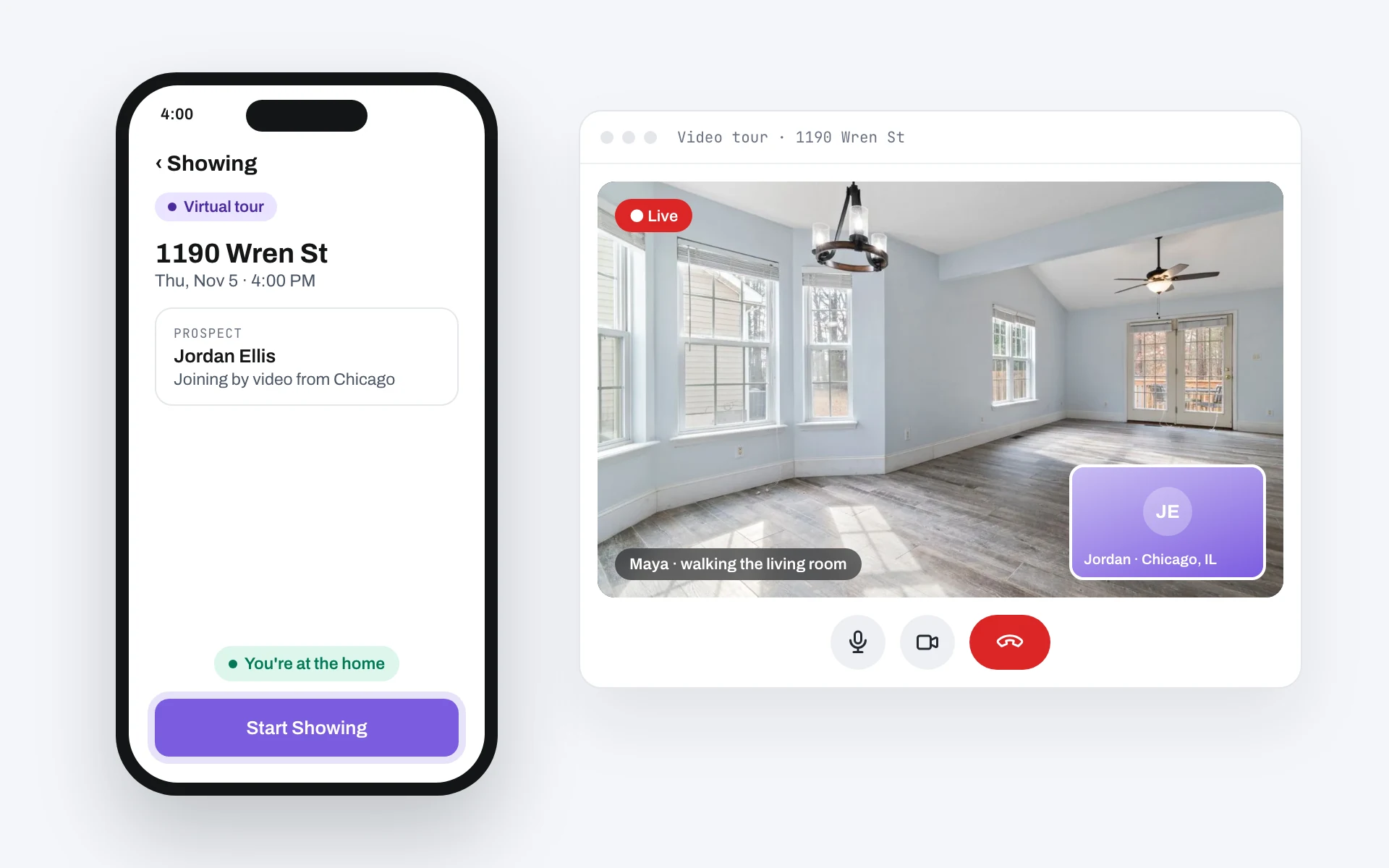
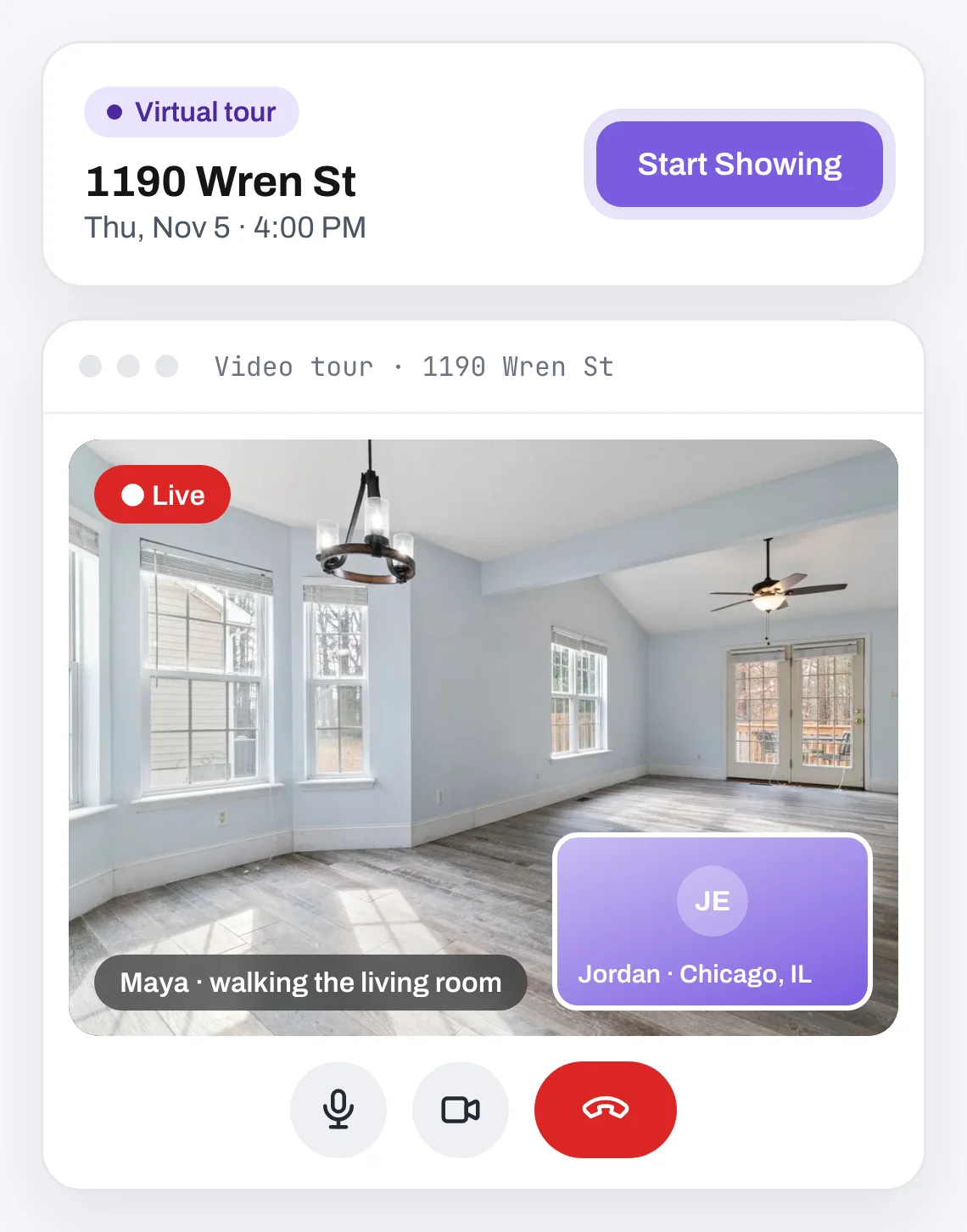
Your agent taps Start Showing in the app at the property and the prospect joins by video from anywhere.

Your team schedules a virtual tour from the Command Center and assigns an agent. The prospect receives a video link by text and joins from their phone or computer.

✓
Prospects who live out of town tour the property before they apply
✓
Virtual tours follow the same reminder, confirmation and auto-cancel rules as in-person showings
✓
Your agent logs feedback and closes out the showing in the app

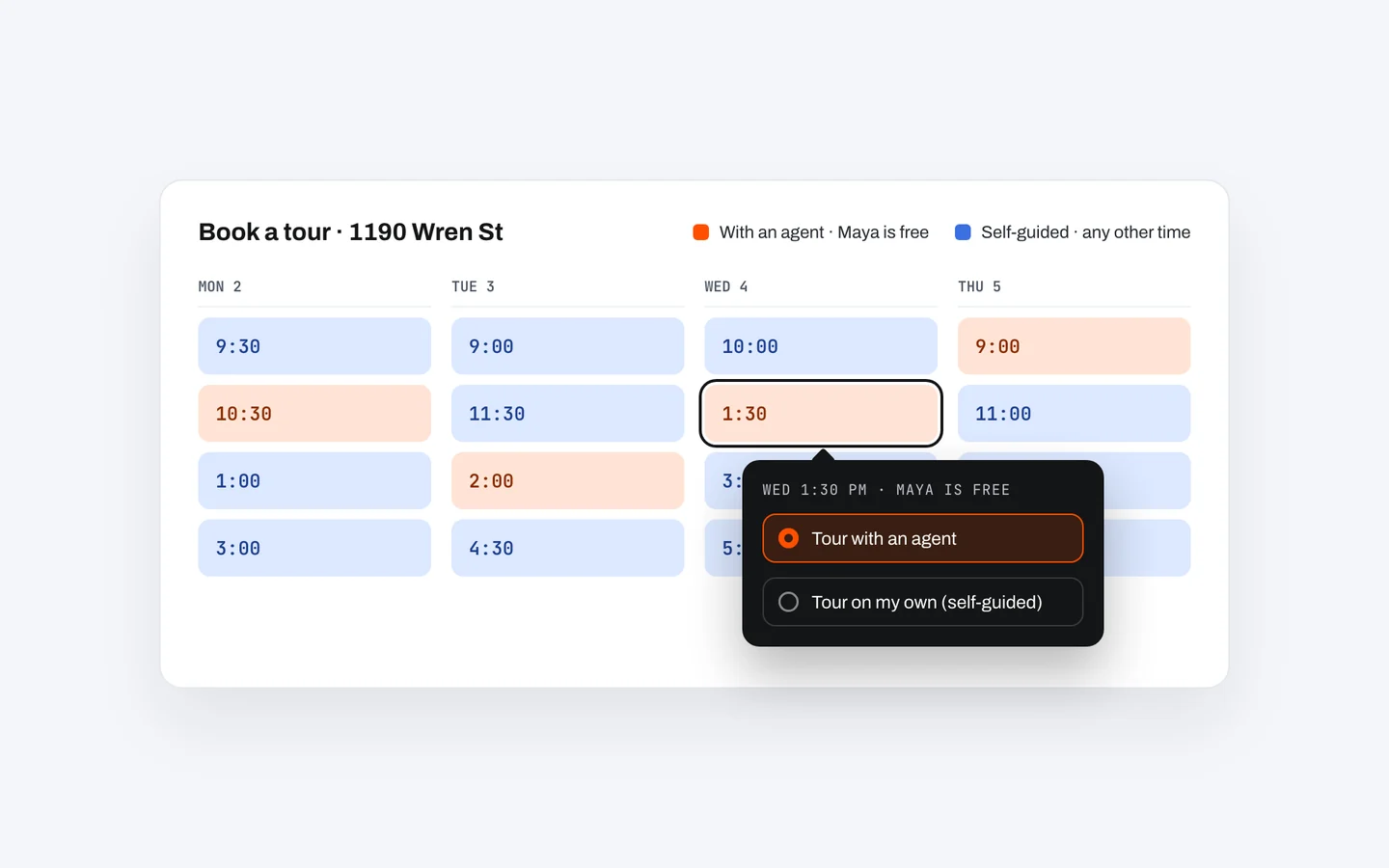
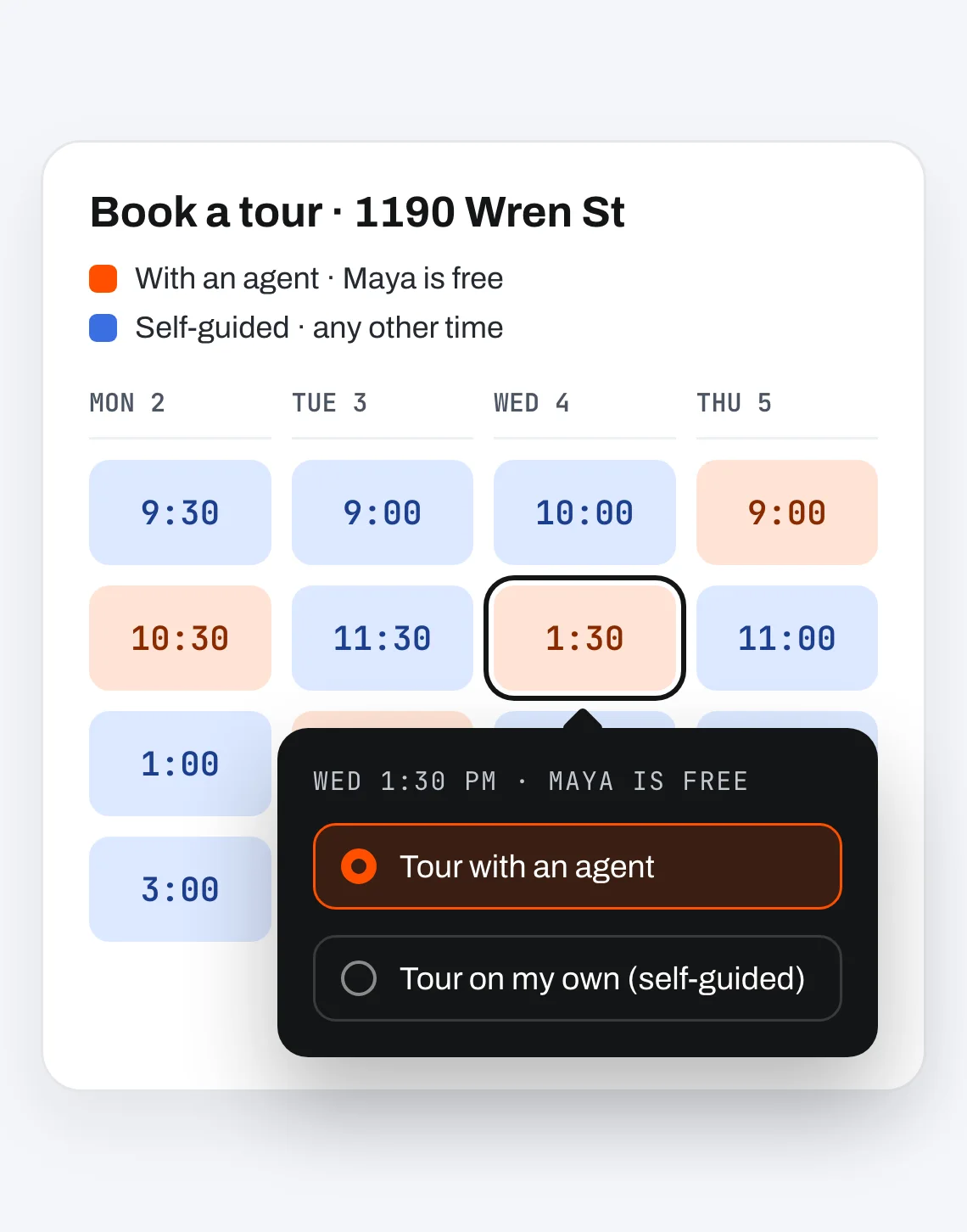
Prospects book an agent-led tour when an agent is free and a self-guided tour at any other time.

RentEngine checks your agents’ showing windows and the property’s open slots, then offers prospects the right option for each time. When an agent is already at the property, prospects book an accompanied showing. When no agent is free, they book a self-guided tour.

✓
Prospects choose accompanied or self-guided when both are open
✓
Agents spend their time on the showings that need them
✓
Prospects can still book when every agent is busy
A prospect's self-guided showing page with a one-time access code, the code's time window and the 0.5 mile location checkA self-guided showing's one-time access code with its time window, and the 0.5 mile location check
A prospect on a call with the leasing team during a remote guided showing, with the 14-hour notice rule for gated communitiesA prospect on a call with the leasing team during a remote guided showing, with the 14-hour notice rule for gated communities
An agent starting a virtual tour in the RentEngine app while the prospect joins by video from another cityAn agent starting a virtual tour in the RentEngine app while the prospect joins by video from another city
A booking page offering agent-led times when the agent is free and self-guided times the rest of the weekA booking page offering agent-led times when the agent is free and self-guided times the rest of the week

A reminder before every showing. A next step after it.

Step 01
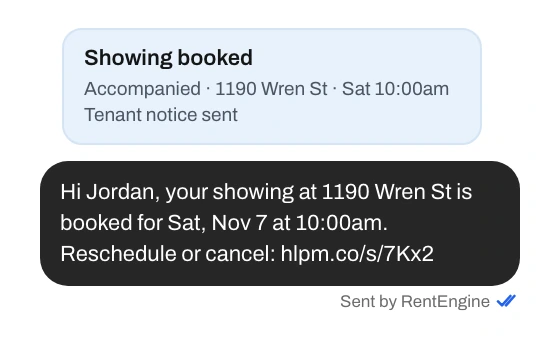
Booked
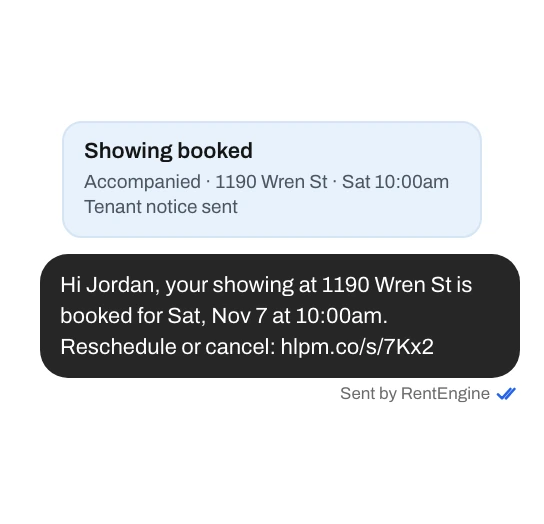
Prospects receive their showing details and a cancel or reschedule link the moment they book. Current tenants receive notice of the showing.
Text thread: showing booked, with a cancel or reschedule link
Step 02
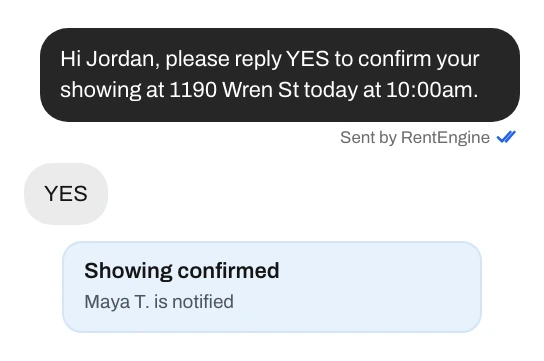
Before
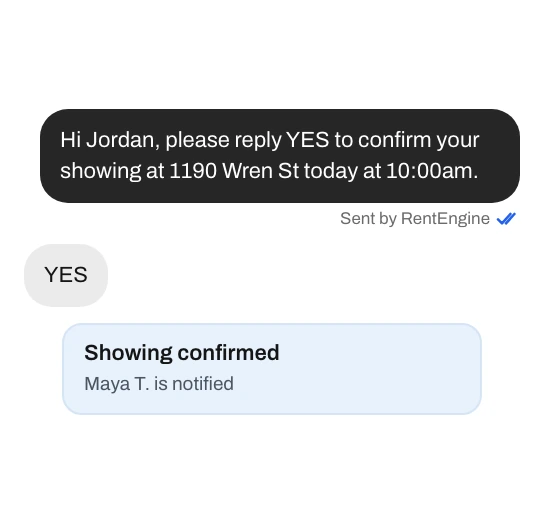
Prospects are asked to confirm their showing. If they haven’t confirmed 45 minutes before, RentEngine cancels it and offers the slot to other prospects, so your agents only drive to confirmed showings. Leads who asked for a tour but haven’t booked get follow-ups until they do.
Text thread: the prospect confirms their showing
Step 03
Showing
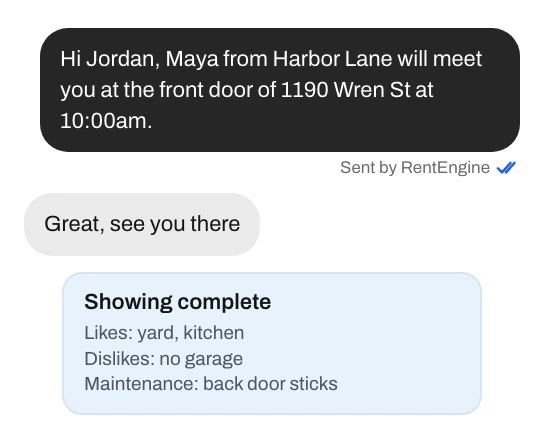
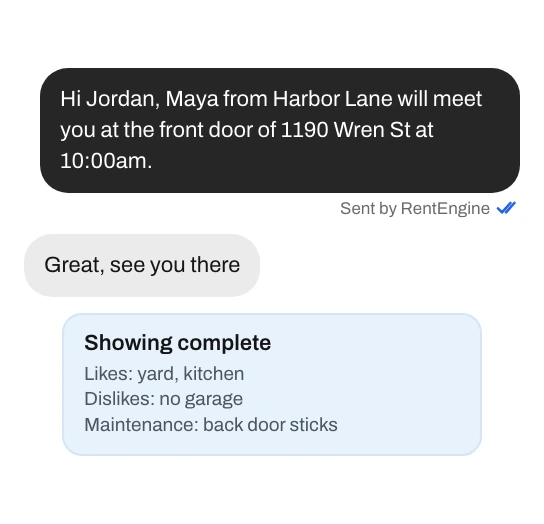
Agents log likes, dislikes and maintenance notes on the lead record when they close out a showing.
Text thread: showing complete, with the agent's likes, dislikes and maintenance notes
Step 04
After
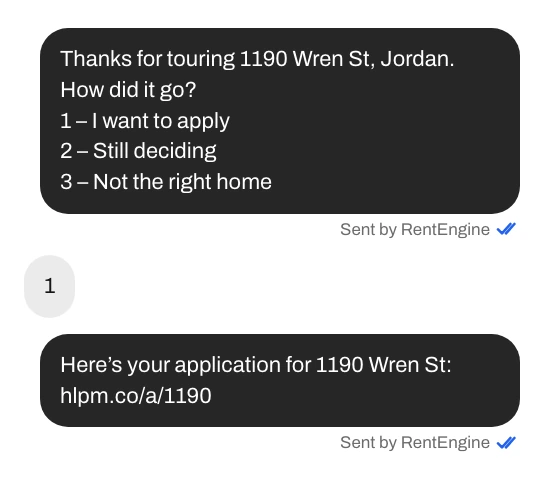
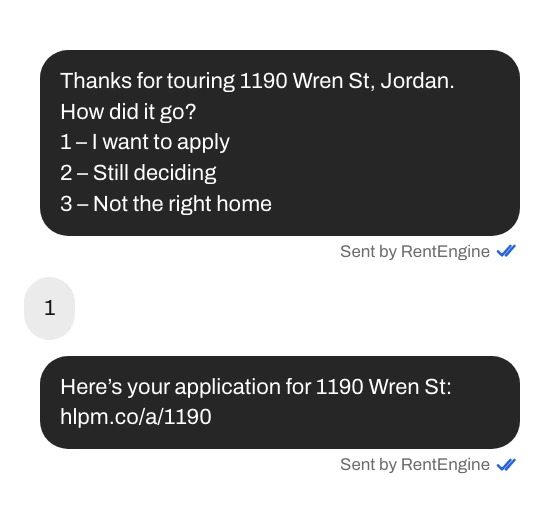
Prospects receive a feedback form after the tour. Based on their answer, RentEngine sends the application link, keeps them in a follow-up sequence while they decide, or marks them not interested. Prospects who start an application receive check-ins until they submit.
Text thread: feedback after the tour and the application link
Step 05
Missed or not right
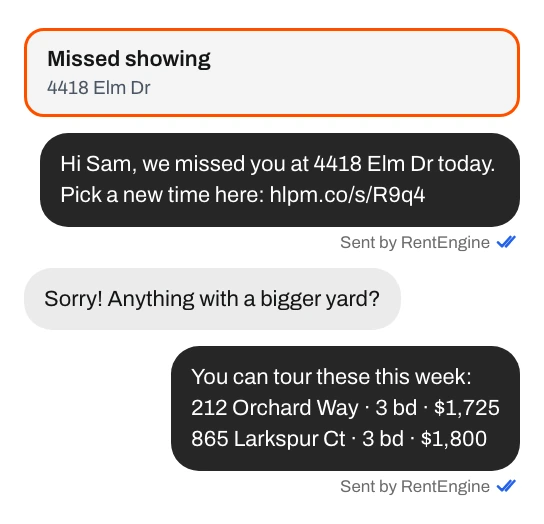
Prospects who miss a showing receive a reschedule link 1 hour later. Prospects who don’t want the home receive other available homes and 12% of all submitted applications come from cross-selling.
Text thread: a missed showing, a reschedule link and other available homes
Text thread: showing booked, with a cancel or reschedule link
Step 01
Booked
Prospects get their showing details and a reschedule link. Current tenants get notice of the showing.
Text thread: the prospect confirms their showing
Step 02
Before
Prospects confirm their showing. RentEngine cancels unconfirmed showings 45 minutes before and reoffers the slot, so agents only drive to confirmed showings.
Text thread: showing complete, with the agent's likes, dislikes and maintenance notes
Step 03
Showing
Agents log likes, dislikes and maintenance notes when they close out the showing.
Text thread: feedback after the tour and the application link
Step 04
After
Prospects rate the home. RentEngine sends interested prospects the application link and follows up until they submit.
Text thread: a missed showing, a reschedule link and other available homes
Step 05
Missed or not right
Prospects who miss a showing get a reschedule link. Prospects who pass on the home get other available homes, which bring in 12% of all applications.

Your team can customise every message.

Explore the leasing CRM

More showings per agent, fewer miles between them

Prospects see a slot only when the agent, the property and the drive time all line up and they see times next to showings your agent already has in that area. With Smart Assign on, RentEngine gives each booking to the best-placed agent.

With Smart Scheduling

Maya · Tue, Nov 3 · 5 showings
driving · done by noon
1 2 3 4 5

Without drive time

The same 5 showings
driving · out until 4 PM
1 2 3 4 5

Agents control their own availability.

Agents set weekly showing windows and connect their Google or Outlook calendar. Prospects only see times the agent is free.

Real drive time between showings.

RentEngine adds Google Maps drive time between showings. Your team sets a buffer for traffic.

One trip, several prospects.

Stack showings so several prospects tour the same home on one trip. Set a primary agent and a daily visit limit for each property.

9:41
RentEnginenowNew booking865 Larkspur Ct · Fri 5:00 PM
Today
Tue, Nov 3 · 4 showings
4418 Elm Dr2 prospects
27 Copper LnSam ReyesTenant occupied
510 Maple AveLena Ortiz
212 Orchard WayNia Kaur
9:41
‹Lockbox
Igloo · front door
4418 Elm Dr
Future-dated code
518 362739 041
Sat, Nov 7 · 9:00 – 11:00 AM
Generate new code Assign another lockbox

RENTENGINE APP

Run your showings from your phone

With the RentEngine app for iPhone and Android, agents run the full showing workflow from the field.

✓Schedule, confirm, reschedule, reassign and cancel showings and log feedback after each tour
✓Generate lockbox codes (including future-dated Igloo codes) and add or assign lockboxes
✓Receive push notifications, see tenant-occupied flags and reply to every prospect conversation

Works with the lockboxes and PMS you already run

lockboxes + any static code

Use the lockboxes you already own.

Connect a supported lockbox and prospects receive a one-time code for each showing, or use any other lockbox with a static code. Our onboarding team transfers your existing boxes for you.

CodeBox
SentriLock
igloo
TTLock
eRentalLock
Master Lock
PointCentral
Any other lockbox
Static code

PMS integrations

Keep your PMS as your system of record.

Units and listing details sync in from your PMS and approved applicants sync back in one click, so your team never enters a property twice.

AppFolio
Buildium
Rent Manager
Rentvine
Propertyware
DoorLoop
“

RentEngine is easier to get to the lockboxes, generate codes, and do showings. Way more comprehensive. Better than expected.

How Howzer runs open houses with two people

Howzer Property Management staffs every open house with one agent on site and one coordinator online. The agent gives the tour. The coordinator answers questions about parking and applications and helps prospects who are running late.

Howzer groups two or more prospects into each slot since prospects who see others touring the same home apply faster.

Read the Howzer playbook

7 days

less vacancy time

How to set it up in RentEngine:
1. Set max stacked showings to 3–5 so several prospects book the same slot.
2. Turn back-to-back showings off and set max visits per day to 1, so every prospect that day books the same time.
3. Assign a remote coordinator to the Command Center for the open house window.

“We find that by having those two people run that open house together, you both have a better online experience, and you have a better in-person experience.”

Casey Howe
Casey Howe
Founder & CEO

Frequently Asked Questions

Which showing methods does RentEngine support?

+

Five: accompanied, self-guided, remote guided, remote guided with gated access and accompanied or self-guided. Your team can also run any accompanied showing as a virtual tour.

How does Smart Scheduling choose an agent?

+

RentEngine looks at each agent’s showing windows, connected calendar, existing showings and drive time and gives the booking to the best-placed agent. You can also set a primary agent who gets first choice.

Which lockboxes do you integrate with and what if mine isn’t listed?

+

Codebox, SentriLock, Igloo, TTLock, eRentalLock, Master Lock Vault and PointCentral. For any other lockbox, enter a static code and RentEngine shows it only on the prospect’s showing page.

Does RentEngine sync with my PMS?

+

Yes. RentEngine syncs with AppFolio, Buildium, Rent Manager, Rentvine, Propertyware and DoorLoop. Units and listing details sync in, approved applicants sync back in one click and you choose which fields sync.

How do you stop fraud on self-guided tours?

+

Prospects complete prescreening and Fraud Guard checks before they book. Each code works for one showing only and prospects see it only when they are within 0.5 miles of the home during the window you set.

How fast can we go live and do you move our lockboxes over?

+

Our onboarding team migrates your leads, showings, lockboxes and listings and trains your team across several live sessions, with no interruption to your leasing.

Book more showings with RentEngine

Request a Demo